
Your firm's website, with every lead in FynOps.
Build your firm's website from blocks made for accounting firms, draft pages with AI and publish on your own domain. Every contact form and booked call lands in FynOps, where your team and your tasks can follow up.
Request a demobrightlinebooks.com
Active, certificate issued automatically
Version 8 published
New payroll services page, live in under a minute
Contact form
3 new leads in the Website leads table
Book a call
2 calls booked on the Google Calendar
How it works
01
Start
Pick a firm template, start blank, give AI a short brief about your firm, or import your WordPress site.
02
Edit
Arrange blocks on each page, edit text in place and check the page at desktop, tablet and phone widths. Changes save to a draft as you work.
03
Publish
Share a preview link, run the publish check and publish every page at once. Visitors see the new version within a minute.
See it in FynOps
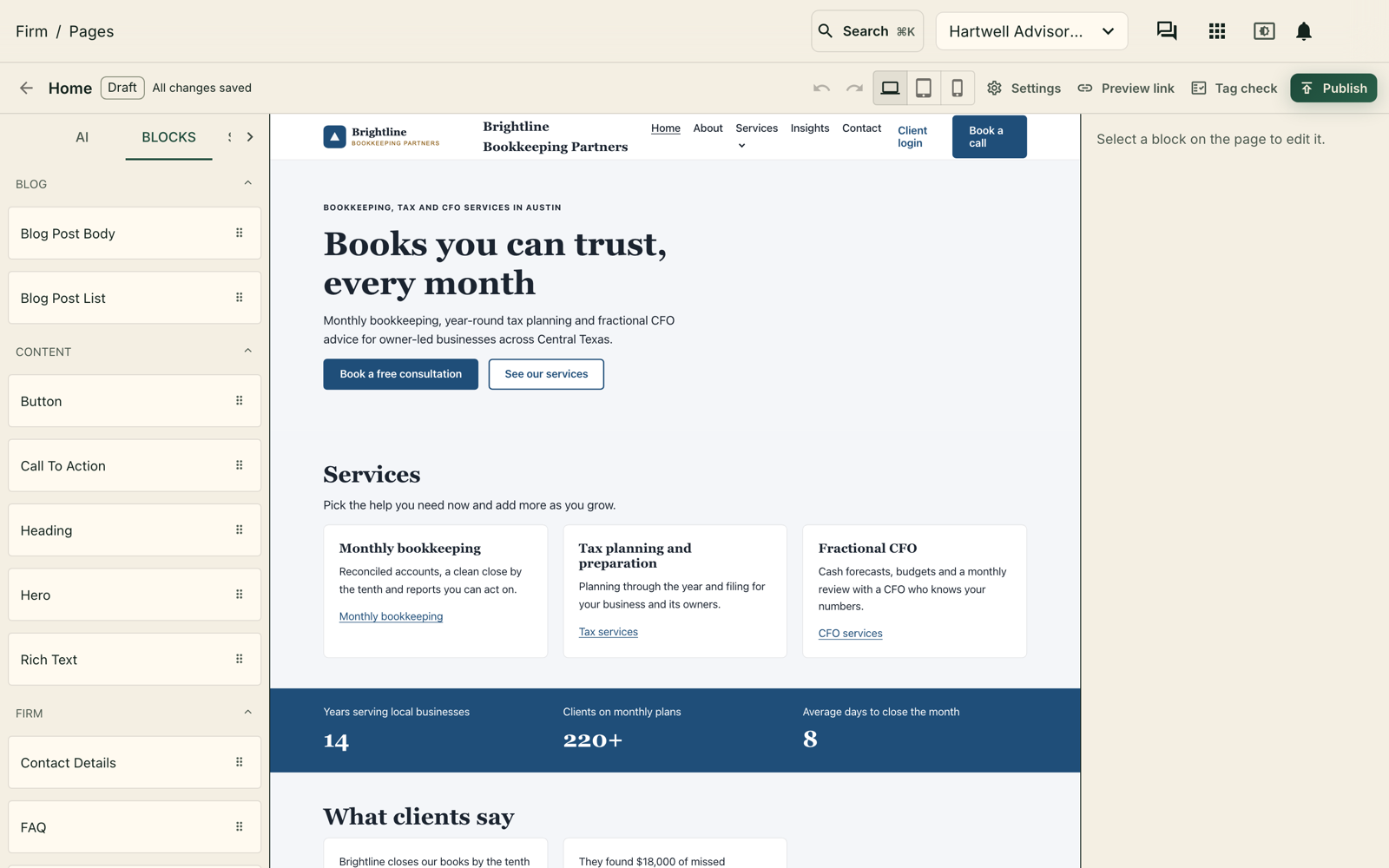
Edit every page with blocks made for firms.
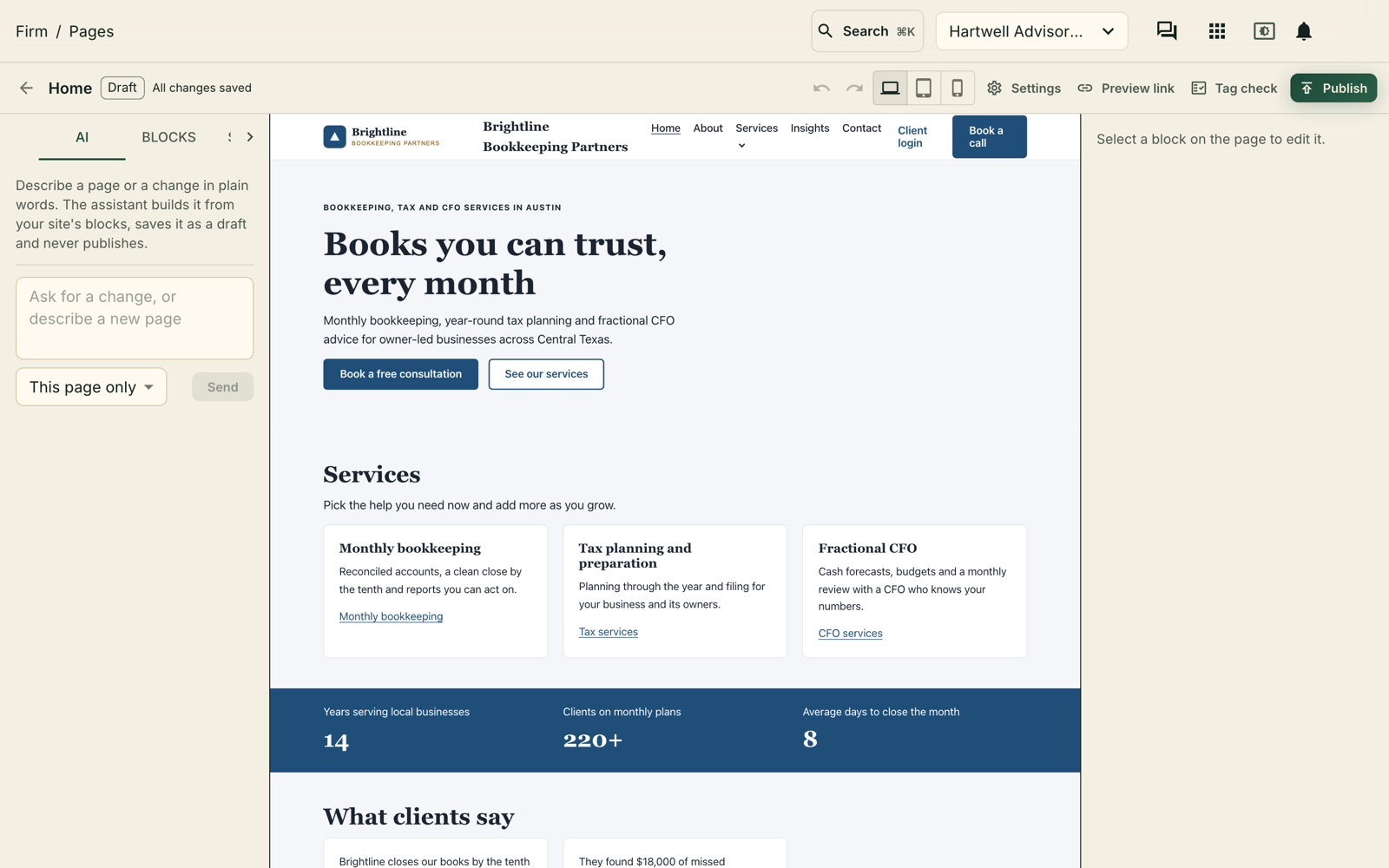
Ask AI for a section, a page or a blog post.
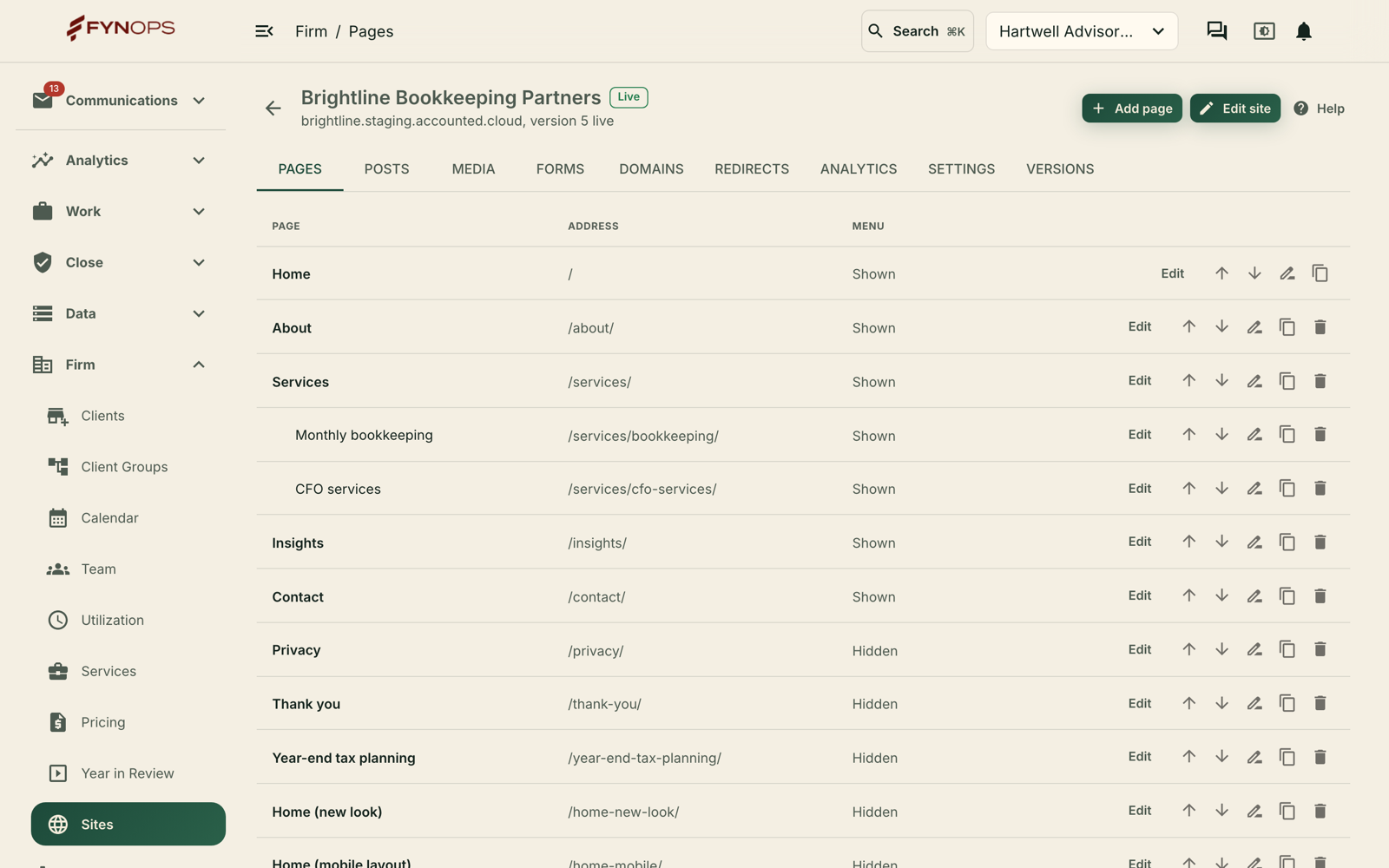
Organize pages, posts, media and forms in one place.
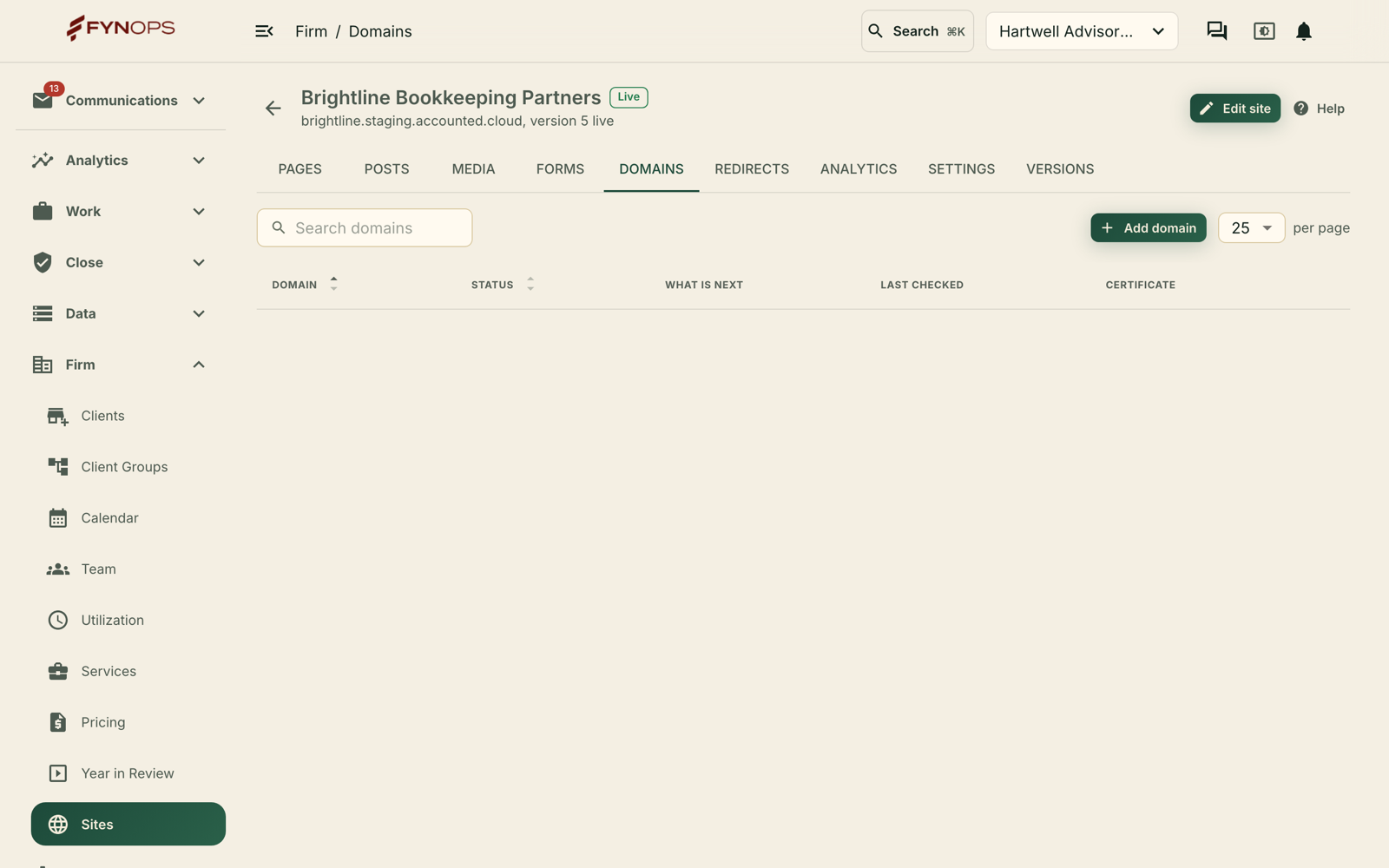
Start on a FynOps address, then connect your own domain.
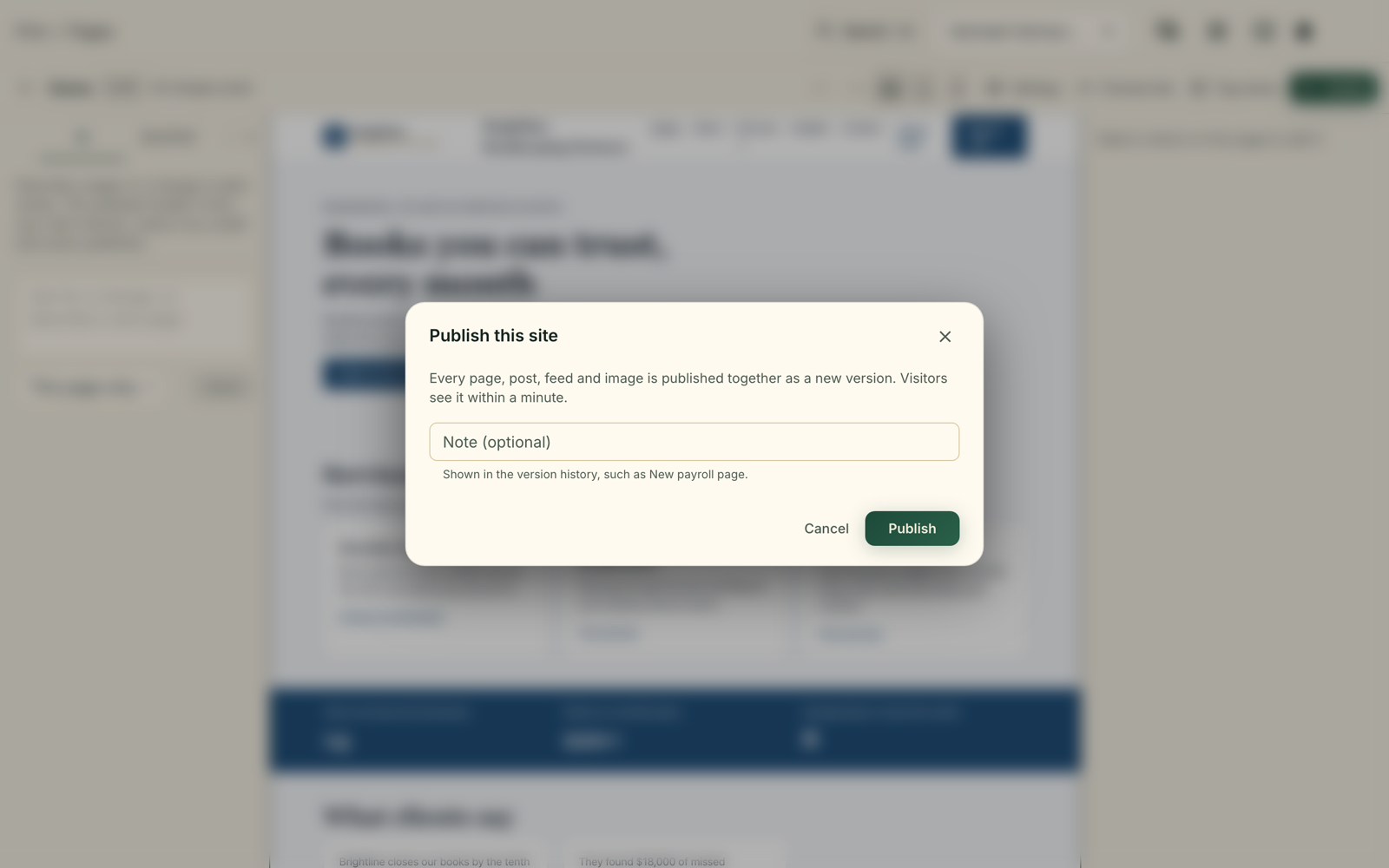
Publish every page at once, and roll back when you need to.
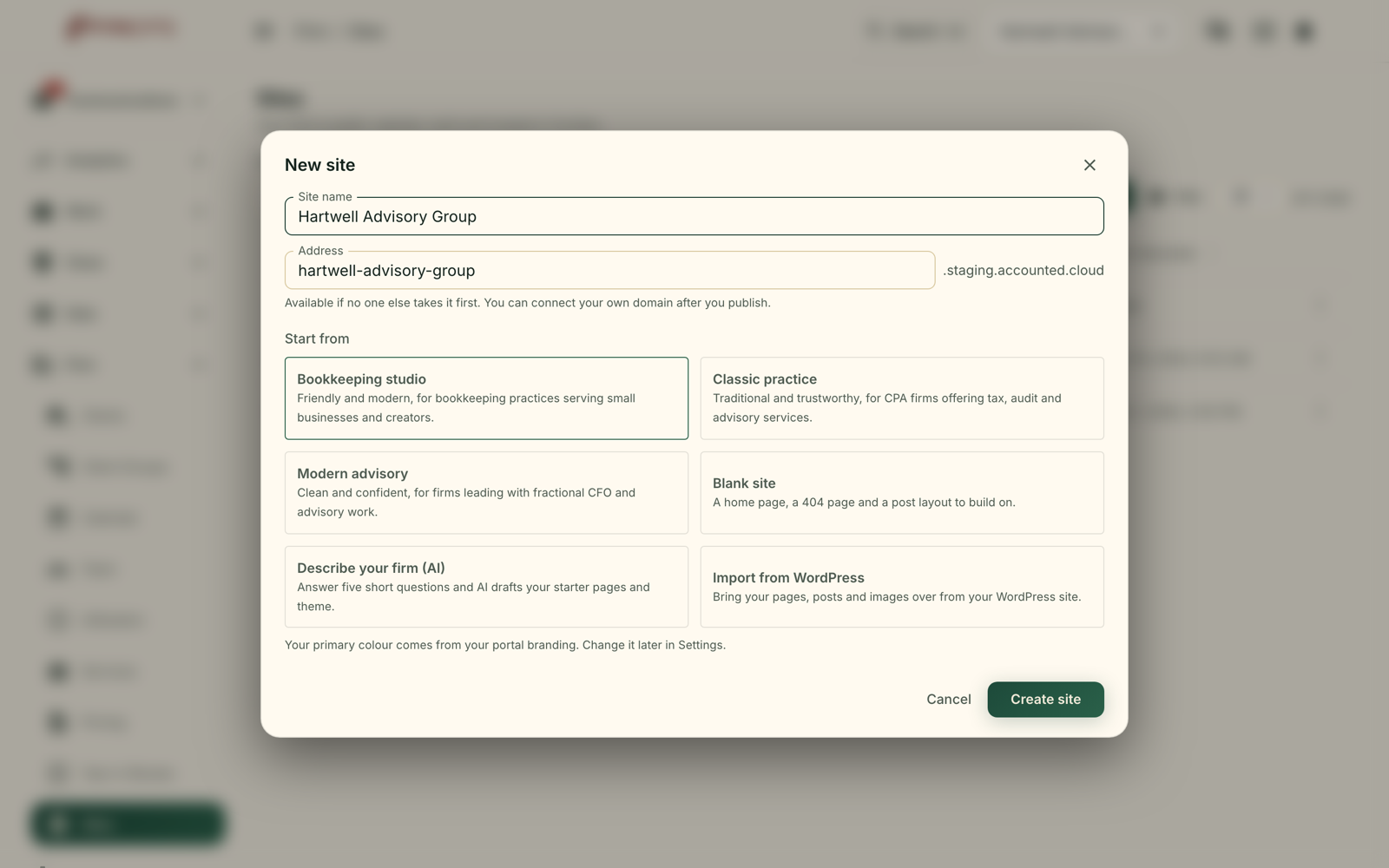
Start from a template, from AI, or from your WordPress site.
Build it without a developer
An editor made for accounting firm websites, with blocks that already fit how firms present their services.
Block editor
Add heroes, service grids, team, testimonials, FAQs, stats, contact details and more, then edit them in place.
Firm templates
Start from Bookkeeping studio, Classic practice or Modern advisory, each with the pages a firm needs, including a privacy page.
Blog and media
Write blog posts with categories, tags and excerpts, and keep every image in one media library.
Search and sharing
Set page titles, descriptions and addresses. Each publish writes your sitemap, RSS feed and robots file.
Moving from WordPress
Enter your WordPress address and FynOps brings your pages, blog posts and images into a draft, adds a redirect for every address that changes and lists anything it could not carry over. Your Google Analytics and Tag Manager IDs come across for you to confirm.
AI drafts, your team decides
The AI works inside the editor, on your draft, with the same blocks you use.
Draft from a brief
Describe your firm and its services, and AI drafts the pages for you to review and edit.
Ask for more
Ask for new sections on a page, a change to the selected block, a new page or a blog post draft.
Blanks only you can fill
Facts the AI cannot know, such as licensing details, are left as marked blanks, and a page with a blank cannot be published.
Undo all
Each request is one change, so one click takes the page back. The AI never publishes.
Leads that land in FynOps
Your website feeds the same workspace where your team already works.
Forms into Tables
Contact and newsletter forms save every submission to a Website leads table in FynOps Tables, with the page and time it came from.
Email on every submission
Choose up to 10 people to get a summary email of each submission.
Book a call
Visitors pick a free time on your Google Calendar and get a Google Meet link, and their answers are saved as a lead. Prefer Calendly or GoHighLevel? Embed your booking page instead.
Follow up automatically
Each new lead is a FynOps event, so a task can pick it up and draft the follow-up for your approval.
Your domain, your tags
Run the site on your own address and measure it with the tools you already use.
Custom domains
Connect your domain and its www address. FynOps shows the exact DNS records to add and checks them for you.
Automatic certificates
Once the records are in place, the HTTPS certificate is issued and your domain goes live on its own.
Analytics tags
Add your Google Analytics measurement ID, Google Tag Manager, Google Ads, Meta pixel and Search Console verification. Tracking waits for each visitor's consent.
Versions and rollback
Every publish is a version. Roll back to an earlier one in a click, or download a version as a ZIP.
Nothing goes live until you publish
Only people with publish access can publish, and the publish check blocks broken links and unfilled blanks. Leads are saved in your own FynOps workspace. How we protect your data